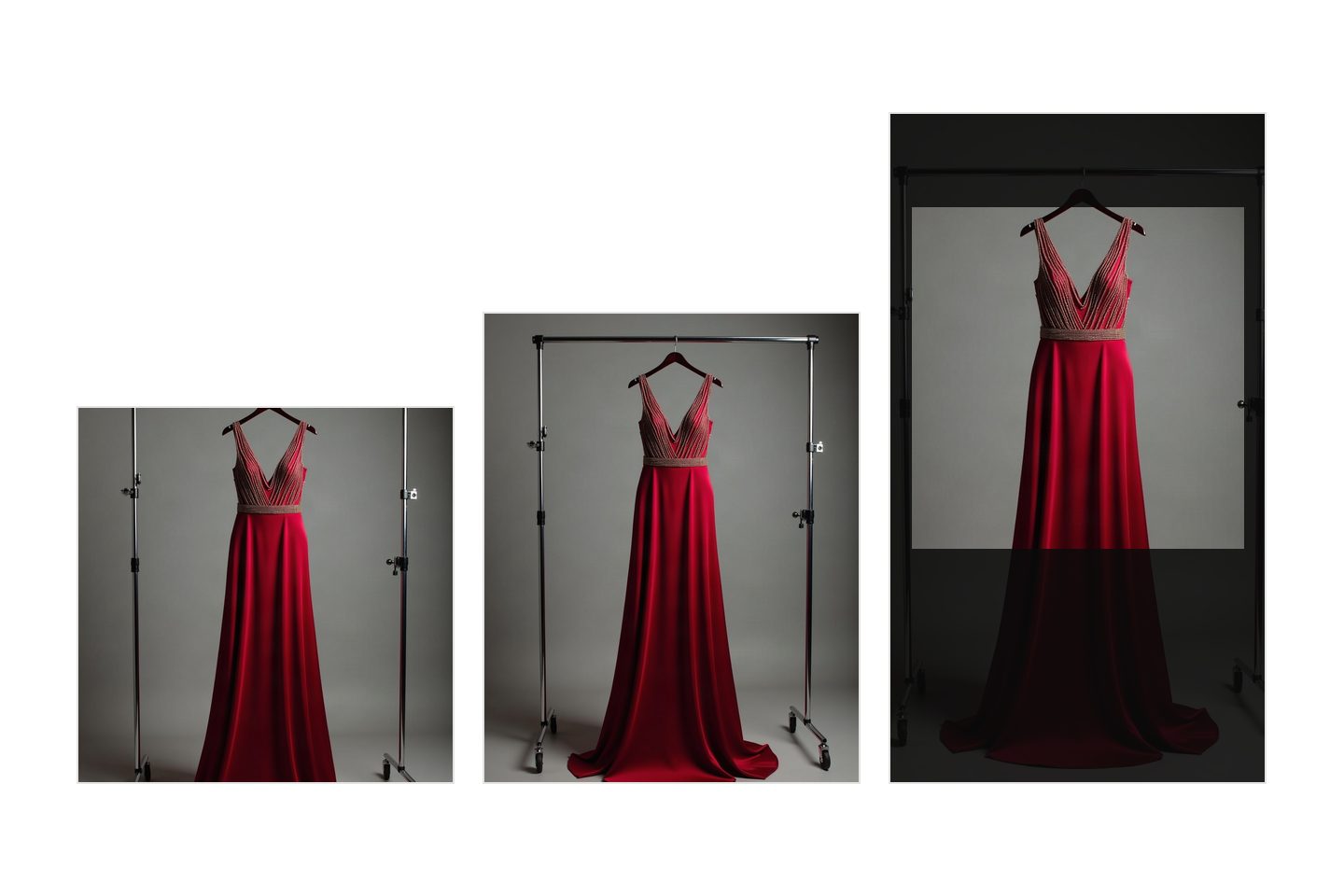
One number and one habit cover most of it. Keep a square master of every product at 2,048 pixels a side, and crop outward from that file rather than shooting wide and cutting in. That single file meets the published product image size requirements for Instagram, Etsy and Shopify at once. The rest of this is detail: what each platform states on its own pages, where we could not confirm a figure, and which of the published rules change anything you do.
Every number below was read off the platform's own documentation in August 2026. Where a page would not open for us, we say so rather than filling the gap from somebody's roundup. These specifications move, so open the source link before you rebuild a catalogue around them.
The rules, with sources, checked August 2026
| Where it goes | What the platform publishes | Source |
|---|---|---|
| Instagram feed photo | Kept at original resolution when the ratio is between 1.91:1 and 3:4, meaning 1,080 wide by 566 to 1,440 tall. Maximum width 1,080, minimum 320. An unsupported ratio "will be cropped to fit a supported ratio" | Instagram Help Centre |
| Instagram feed image ad | 4:5 at 1,440 x 1,800. Minimum width 500. Tallest ratio accepted 400 x 500, widest 191 x 100. JPG or PNG, up to 30 MB | Meta ads guide |
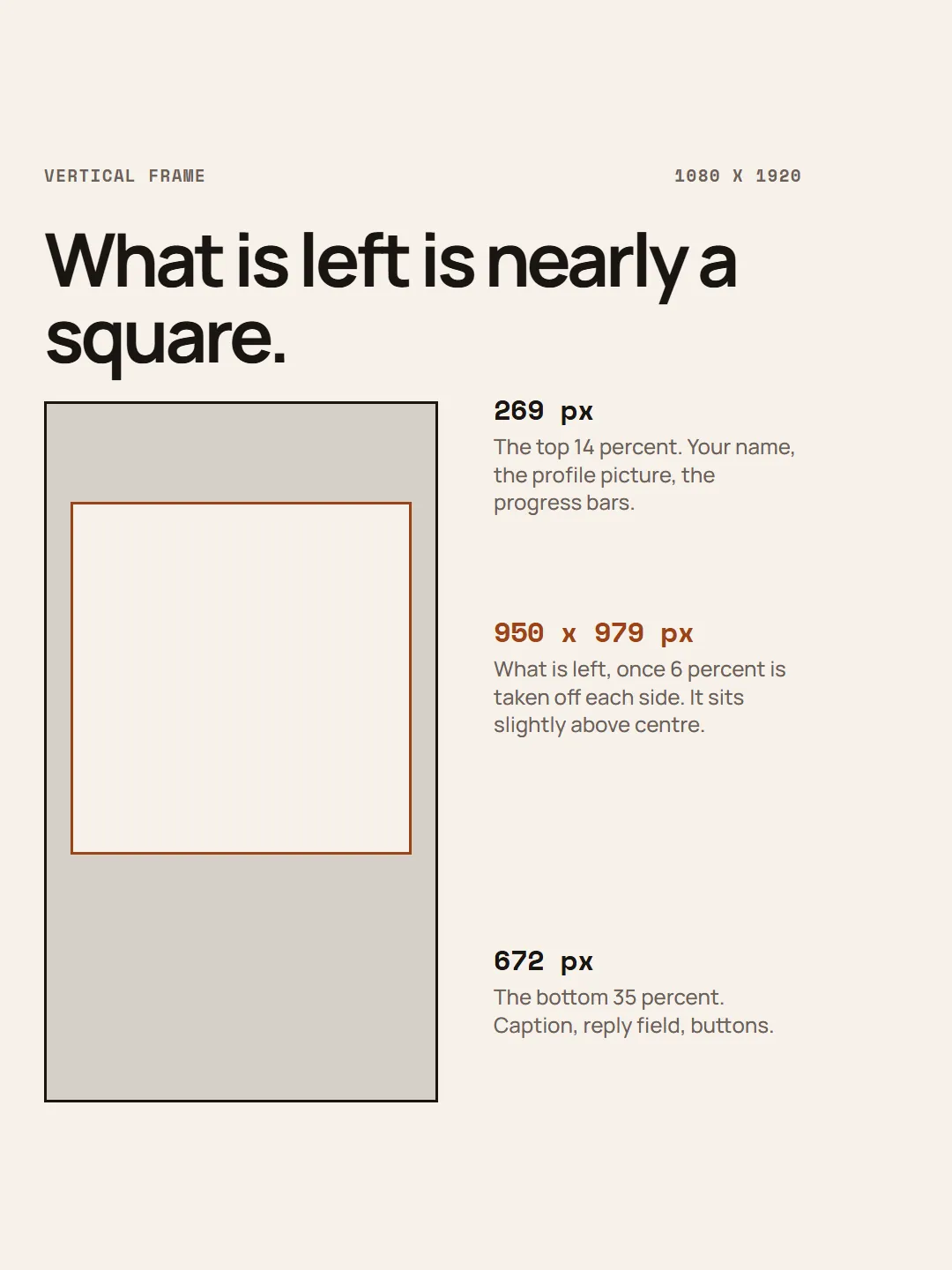
| Instagram Stories or Reels ad | 9:16 at 1,440 x 2,560, minimum width 500, up to 30 MB. Leave "roughly 14% of the top, 35% of the bottom and 6% on each side" clear of text and logos | Meta ads guide |
| Instagram Reel | Ratio between 1.91:1 and 9:16, minimum 30 FPS, minimum resolution 720 pixels. Cover photo 420 x 654 | Instagram Help Centre |
| TikTok in-feed ad | Vertical 9:16 at 540 x 960 or larger, square 1:1 at 640 x 640 or larger, horizontal 16:9 at 960 x 540 or larger. Up to 500 MB | TikTok Ads Manager |
| Etsy listing photo | 2,000 pixels on the shortest side, 72 PPI, under 1 MB, as a JPG, GIF or PNG. Photos "should support both ratios", square and rectangular | Etsy announcement |
| Shopify product image | Under 20 MB, up to 5,000 x 5,000 or 25 megapixels. "For square product images, a size of 2048 x 2048 px usually displays best." PNG first, then JPEG | Shopify Help Centre |
Four gaps, stated plainly.
Amazon is missing because we could not verify it. Its product image guide sits inside Seller Central and would not open for us in August 2026, and a number copied out of a third party guide is the exact thing this post exists to avoid. If you sell there, sign in and read it yourself.
Etsy's own help article on listing images refused every request we made. The row above comes from an announcement by Etsy staff on Etsy's community site: Etsy's own writing, but several years old now. Treat it as a floor rather than as this month's guidance.
The rows marked "ad" are advertising specifications. Meta and TikTok publish precise figures for paid placements, and we could not load an equivalent page for ordinary posting. The frame is the same size either way, so those safe area numbers still describe where the interface sits.
TikTok publishes no single safe zone number at all: it offers downloadable templates instead, and says the zone shrinks as your caption gets longer.
What trips people up
The ratio matters far more than the pixel count, and most people have it the other way round. Instagram caps a feed photo at 1,080 pixels wide, so almost everything you upload is thrown away on the way in, and no amount of resolution changes that. The ratio decides whether the platform keeps your framing or cuts into it. Instagram's help page says an unsupported ratio "will be cropped to fit a supported ratio", and does not say where the crop is taken from. Assume the middle, and put nothing you need near an edge.
Etsy's 72 PPI does nothing for you. PPI is a note in the file about how large to print it. On a screen, 2,000 pixels is 2,000 pixels whether the file claims 72 or 300. Etsy publishes both numbers side by side and only one of them changes the picture.
Safe areas are where most text goes wrong. Meta's figures are percentages, worth turning into pixels once. On a 1,080 by 1,920 frame, 14% off the top is about 269 pixels, 35% off the bottom is 672, and 6% off each side is about 65. What survives is a region roughly 950 wide by 979 tall, sitting slightly above centre. The usable part of a vertical frame is, near enough, a square. Everything below it is username, caption and button. That is one of several reasons to keep the words off the picture and let the platform's own caption do that work.
Then there is 4:5, the highest value ratio on a feed and the one most sellers skip. Meta's own feed ad specification is 4:5 at 1,440 by 1,800, not square, and 4:5 is the tallest a feed ad may be. Organic photos now stretch to 3:4. The mechanism is screen area: a taller picture holds the phone for longer as somebody scrolls past, and square gives away a fifth of that height for nothing. Square is rarely a decision. It is the default nobody changed, which also shapes what a good product carousel says when every slide is square.
How to hit them
Keep one square master per product at 2,048 by 2,048. It matches Shopify's recommendation exactly, clears Etsy's 2,000 pixel shortest side, and is far above anything Instagram will keep. If you have not built that set yet, six pictures from one product is the shortest route to having something to crop.
Compose that square with a margin of plain background on all four sides. This is the whole habit. Going square to 4:5 and 4:5 to 9:16 means adding space above and below, or trimming a margin you deliberately left spare, and the product itself is never touched. Start from a wide landscape shot instead and every vertical crop cuts into the product, because there is nothing else left to remove.
Prepare files in this order, because the reverse is what produces the soft listing photo everyone blames on the platform. Resize to the target dimensions first, compress once to JPEG, then upload. Compressing and then resizing bakes the artefacts in and scales them up, and re-saving the same JPEG four times as you tweak it does that damage four times. Two habits worth breaking: never screenshot an image to resize it, and never upload a file smaller than the space it has to fill, because upscaling is the one thing no platform does well.
Etsy's 2,000 pixel side and its 1 MB ceiling pull against each other. A 2,000 pixel photo of a detailed product will exceed 1 MB at full quality. Drop the JPEG quality until it lands under the limit and check the result at full size, rather than shrinking the picture. Fewer pixels is the worse trade.
On Shopify, give every main image in a collection the same ratio. Shopify's guidance is to keep featured images consistent, and mixed ratios are what make a collection page look untidy even when each photograph is fine.
How to check your own file
Right click the file and open its properties, or use Get Info on a Mac. You want the pixel dimensions and the file size. Almost nobody looks, and it takes four seconds.
Then run these five checks before anything goes up.
- Is the shortest side at least 2,000 pixels, and is the file under 1 MB if it is going to Etsy?
- Is the ratio one of 1:1, 4:5 or 9:16? If it is something else, you have handed the crop decision to the platform.
- View it at 100%. Soft edges and blocky patches around fine detail are compression, and they get worse, never better, once uploaded.
- Put your thumb over the bottom third of a vertical frame. Everything that matters should still be visible.
- Post it, then look at it on your own phone in the feed, not in the upload preview. That is the only view your buyer will ever have.
Written by the Kloti team. Kloti writes and designs a carousel about your work, and the caption to post it with. The pictures on this page were generated in Kloti.